01
“This background removal tool is incredible! I can create professional-looking videos in minutes. The AI technology is so accurate, and it saves me hours of editing time.”
Sarah Johnson
Content Creator · YouTube
एक क्लिक में अपने वीडियो की पृष्ठभूमि हटाएं और बदलें। वीडियो बैकग्राउंड ऑनलाइन ऐप से पृष्ठभूमि बदलें।
By uploading, you agree to our Terms of Service and Privacy Policy
Need bulk processing? Try our batch remover →Use Cases
Switch between creator workflows and see how BGRemover adapts the background preview for each category.


Preview 1 of 5
Compare the original frame against a cleaned background, then browse ready-made looks.
Explore Ecommerceक्या आप बैकग्राउंड हटाने के लिए ऐप्स ढूंढ रहे हैं? यह मुफ्त वीडियो एडिटर आपको अपनी मूल पृष्ठभूमि या ग्रीन स्क्रीन को किसी अन्य छवि, वीडियो या रंग से बदलने देता है। आप एक क्लिक में पारदर्शी या ठोस रंग चुन सकते हैं। एआई बैकग्राउंड रिमूवल टूल सरल, तेज़ और मज़ेदार है!
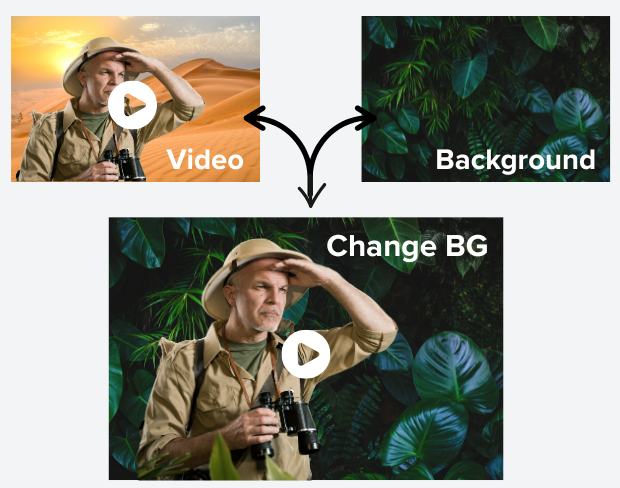
हमारी उन्नत एआई तकनीक आपके वीडियो से पृष्ठभूमि को स्वचालित रूप से पहचानती और हटाती है। अब मैन्युअल एडिटिंग या जटिल सॉफ़्टवेयर की जरूरत नहीं - बस वीडियो अपलोड करें और जादू देखें। कंटेंट क्रिएटर्स, मार्केटर्स और पेशेवर दिखने वाले वीडियो चाहने वालों के लिए आदर्श।
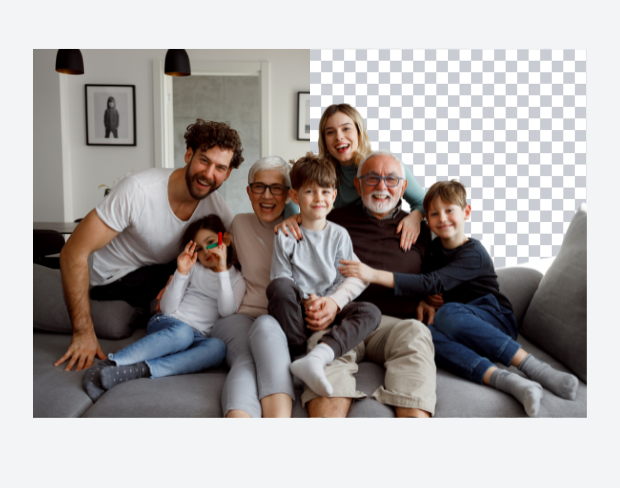
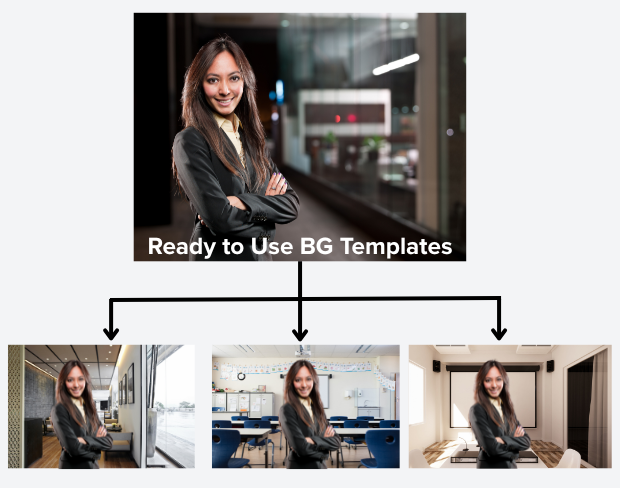
अपने वीडियो को शानदार छवियों, गतिशील वीडियो या ठोस रंगों के साथ बैकग्राउंड बदलकर ट्रांसफॉर्म करें। चाहे आप खुद को ट्रॉपिकल बीच, आधुनिक ऑफिस में ले जाना चाहें या अपने कंटेंट के लिए सफेद बैकग्राउंड बनाना चाहें, हमारा टूल इसे आसान बनाता है। अपनी खुद की बैकग्राउंड अपलोड करें या हमारे कलेक्शन से चुनें।
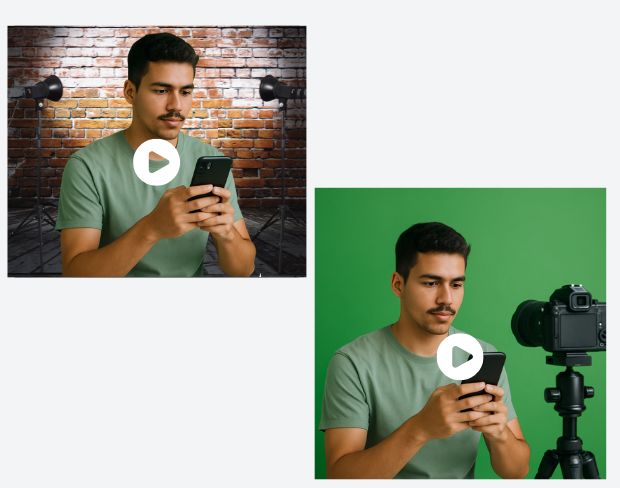
कोई ग्रीन स्क्रीन नहीं? कोई बात नहीं! हमारा एआई किसी भी बैकग्राउंड को हटा सकता है, जिससे आप बिना महंगे उपकरण के पेशेवर वीडियो बना सकते हैं। रिमोट वर्क, ऑनलाइन प्रेजेंटेशन, सोशल मीडिया कंटेंट और वीडियो कॉन्फ्रेंसिंग के लिए आदर्श। कहीं से भी स्टूडियो-क्वालिटी वीडियो बनाएं।
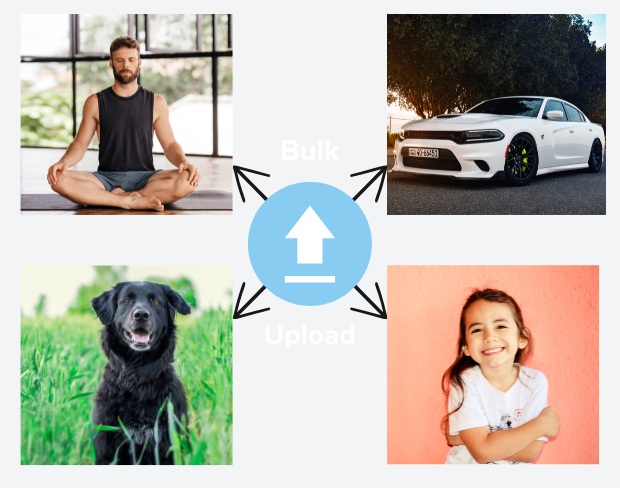
एक साथ कई वीडियो प्रोसेस करके समय बचाएं। हमारा बैच प्रोसेसिंग फीचर आपको कई वीडियो अपलोड करने और सभी के बैकग्राउंड एक साथ हटाने की सुविधा देता है। कंटेंट क्रिएटर्स और बड़े वीडियो लाइब्रेरी वाले व्यवसायों के लिए आदर्श।
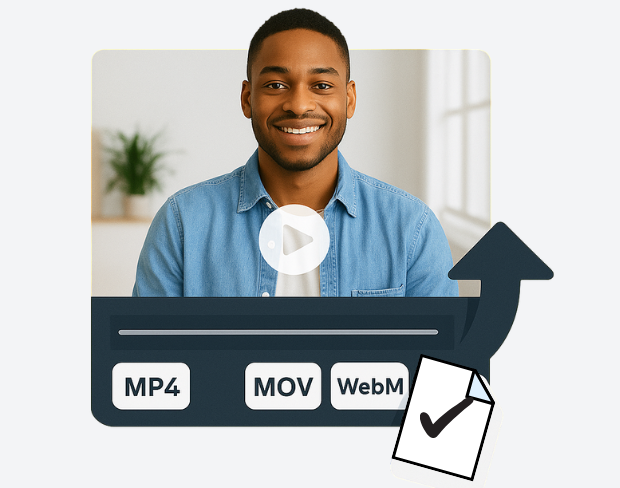
अपने वीडियो को MP4, MOV और WebM सहित विभिन्न फॉर्मेट में निर्यात करें, अनुकूलन योग्य गुणवत्ता सेटिंग्स के साथ। मूल गुणवत्ता बनाए रखें और बैकग्राउंड पूरी तरह हटाएं। हमारा टूल वीडियो की डिटेल्स को सुरक्षित रखता है और सभी डिवाइस पर स्मूद प्लेबैक सुनिश्चित करता है।
हमारे रीयल-टाइम प्रीव्यू फीचर के साथ बैकग्राउंड रिमूवल के परिणाम तुरंत देखें। तुरंत बदलाव करें, सेटिंग्स को फाइन-ट्यून करें और अंतिम निर्यात से पहले अपने वीडियो को परफेक्ट बनाएं। इंटरफेस सहज और शुरुआती लोगों के लिए भी आसान है।
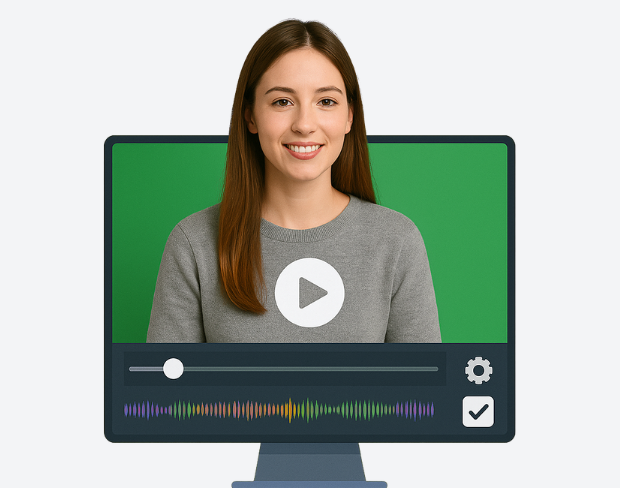
एक क्लिक में अपने वीडियो की पृष्ठभूमि हटाएं और बदलें। वीडियो बैकग्राउंड ऑनलाइन ऐप से पृष्ठभूमि बदलें।
Try NowBuilt for creators who need clean exports, simple editing, and reusable background workflows without opening a heavy desktop editor.
01
Transparent output
02
Reusable backgrounds
03
No heavy editor
01
Platform fit
Prepare your videos for YouTube, TikTok, Instagram, and more using our free video background remover. Easily create videos with a transparent background that fits perfectly on any social media or presentation platform that no complex edits needed.
02
Simple editor
Our free online video editor is designed for creators of all skill levels. Remove bg from video with ease using AI-powered tools that simplify background removal and editing, letting you focus on creating stunning content without hassle.
03
Fast delivery
Our free online video editor is designed for creators of all skill levels. Remove bg from video with ease using AI-powered tools that simplify background removal and editing, letting you focus on creating stunning content without hassle.
04
Motion-ready
Beyond videos, our gif bg remover lets you make GIFs with transparent backgrounds. Perfect for social media, ads, and messages add eye-catching animation that stands out with our transparent background maker.
जानें कि कैसे हजारों क्रिएटर्स, मार्केटर्स और प्रोफेशनल्स हमारे एआई-पावर्ड बैकग्राउंड रिमूवल टेक्नॉलॉजी से अपने वीडियो कंटेंट को बदल रहे हैं।
5 customer testimonials
Scroll to read all
“This background removal tool is incredible! I can create professional-looking videos in minutes. The AI technology is so accurate, and it saves me hours of editing time.”
Sarah Johnson
Content Creator · YouTube
“Our team uses this for all our product videos. The quality is amazing and the ease of use is unmatched. We've increased our video production by 300% since using this tool.”
Michael Chen
Marketing Director · TechStart Inc.
“Perfect for creating engaging social media content. The background removal is seamless, and I love how I can add custom backgrounds to match our brand aesthetic.”
Emma Rodriguez
Social Media Manager · Digital Agency
“As an online instructor, this tool has revolutionized how I create educational content. Clean, professional backgrounds help my students focus on the lesson content.”
David Park
Educator · Online Learning Platform
“I've tried many background removal tools, but this one is by far the best. The precision is incredible, and it works perfectly even with complex hair and clothing details.”
Lisa Thompson
Freelance Video Editor · Independent
Clear answers about uploads, exports, video limits, and switching from older background removal tools.
Start removing backgroundहमारा एआई आपके वीडियो का विश्लेषण करता है और स्वचालित रूप से बैकग्राउंड हटाता है।
हम MP4, MOV और M4V फॉर्मेट का समर्थन करते हैं।
हाँ, वीडियो 200MB और 10 मिनट से कम होने चाहिए।
Yes! BGRemover.video is the best Unscreen alternative, especially since Unscreen is shutting down on December 1, 2025. We offer unlimited video length, HD quality, no watermarks, and completely free usage - all features that required paid plans on Unscreen.
Unscreen announced they're shutting down on December 1, 2025 at 9:00 AM CET. Canva decided to discontinue the service to focus on other products. This makes BGRemover.video the perfect replacement with superior features and no shutdown concerns. Try our video background remover for better results.
Absolutely! Unlike Unscreen's free version which limited videos to 5-10 seconds, BGRemover.video has no time restrictions. Process videos of any length completely free - a feature that would have cost money with Unscreen Pro.
Share your experience with BGRemover and read how other users are removing backgrounds from videos faster.
5.0
Average rating
0
Total reviews
Tell other creators what worked for you.
Showing page 1 of 1 · 0 reviews
Be the first to share your experience.
Keep moving through focused tools for cleaner clips, sharper assets, and faster production workflows.